

We’ve all been there.
You’re capturing a beautiful sunset, a candid family moment, or a shot that you just know is special. You click the shutter with confidence — and later, when you view the image on a bigger screen, the disappointment hits. The colors look washed out. The details are fuzzy. That one-in-a-million moment now looks… mediocre at best.
A few years ago, that photo would have been relegated to the trash folder forever. Unless you were a Photoshop expert with hours to spare, there was very little you could do to fix a low-quality image.
But not anymore.
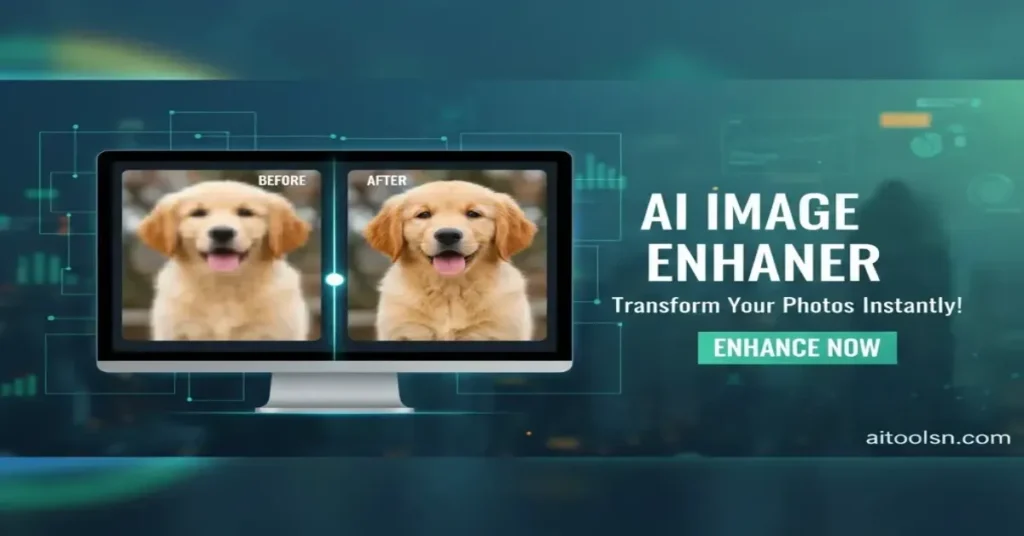
In 2026, AI — particularly AI image enhancement tools — has revolutionized the way we fix and upgrade our photos. Whether you’re a creative professional trying to make your visuals pop, a business owner needing crisp product shots, or someone with a photo full of memories you wish you could restore, AI photo enhancers give everyone access to professional-level image improvement.
In this guide, you’ll discover:
- What an AI image enhancer really does
- How it works
- Why is it better than traditional editing
- Real-life scenarios where it saves the day
- Tips for getting the best results
- And how to start enhancing your photos right now
Let’s dive in.
Why Image Quality Matters in Today’s Visual World
We’re living in a visual-first era — and that means image quality matters more than ever.
Whether you’re:
- Scrolling social media
- Browsing an online store
- Sharing a photo with family and friends
- Publishing a blog post
- Designing graphics for a presentation
…your audience is already making a snap judgment about your content based on how it looks.
Data from engagement studies consistently shows that visual quality directly affects engagement and trust online. Blurry photos aren’t just less appealing — they can reduce:
- Time spent on a page
- Click-through rates
- Sales conversions
- Perceived professionalism
And on the personal side, nothing kills nostalgia faster than looking back at an old photo that doesn’t do justice to the moment you remember so vividly.
This is where AI image enhancement becomes a game-changer.
What Is an AI Image Enhancer?
If you think “AI” sounds futuristic or complicated, think again.
An AI image enhancer is a tool powered by artificial intelligence — specifically, deep learning — designed to automatically improve the quality of blurry, low-resolution, or distorted images.
Here’s what it does:
- Sharpens edges that look soft
- Removes digital noise (graininess)
- Recovers lost texture
- Boosts resolution without stretching pixels
- Improves clarity and detail so your photos look crisp, clear, and professional
The real magic is that it doesn’t just stretch or upscale your photo like old-school tools used to do. Instead, it predicts missing detail based on patterns it learned from millions of high-quality images.
That means when you use an AI enhancer, you get results that look natural, realistic, and beautiful — even from images that once seemed hopeless.
Try it here: 👉 AI Image Enhancer Tool
How AI Enhances Photos: A Simple Explanation
Imagine looking at a blurry painting and trying to restore the missing detail.
Traditional editing tools might brighten the colors or increase contrast. But they can’t invent detail that isn’t there — at best, they polish what’s already visible.
AI enhancement works differently.
It’s like giving your photo to an artist who has studied millions of clear, high-quality photos. When the AI sees a blurry patch, it doesn’t just fill in random pixels — it predicts what should be there.
So instead of just stretching pixels (which makes things look blocky), AI creates brand-new pixels that match what the original scene most likely looked like.
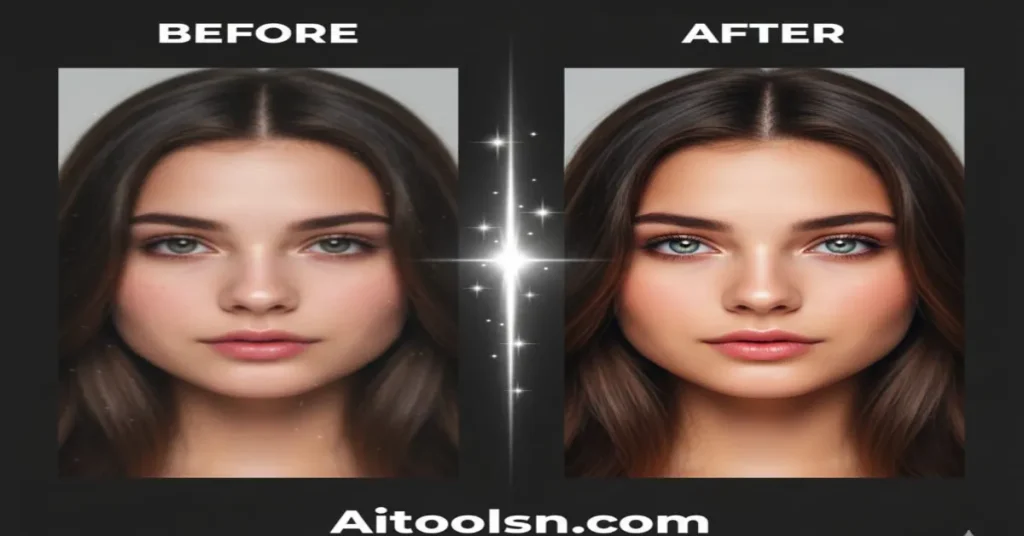
The result? Cleaner lines, sharper faces, clearer textures, deeper detail — without weird artifacts or unnatural effects.
AI Image Enhancer vs. Traditional Editing
To understand the advantage of AI, let’s compare it with traditional image editing tools:
| Feature | AI Image Enhancer | Traditional Editing |
|---|---|---|
| Time Required | Seconds | Minutes to hours |
| Skill Needed | None | Advanced skills |
| Result Quality | Natural, detailed | Limited improvements |
| Cost | Free / Low | Expensive software |
| Output Consistency | Highly consistent | Varies by skill level |
No sliders, no masking, no healing brushes — upload your image and let the AI do the work.
Real-World Scenarios Where AI Image Enhancement Shines
Here are some practical, everyday situations where an AI image enhancer makes a huge difference:
1. Rescuing Old Family Photos
Remember those old 2-megapixel camera shots from the early 2000s? Or faded scans of your parents’ wedding photos?
On modern phones and monitors, these look tiny and blurry.
With an AI image enhancer, you can breathe new life into these memories — restoring facial features, improving texture, and making the image look sharp enough to print and frame.
2. Fixing Messenger or WhatsApp Photos
Messaging apps compress photos to save data — but that often leaves them soft and pixelated.
Running these compressed images through an AI enhancer can recover lost detail, making them suitable for printing or sharing.
3. Improving E-commerce Photos
If you sell products online, visuals are everything.
Low-resolution supplier photos or pictures taken in poor lighting can hurt conversions. AI enhancement instantly upgrades these images, making them look professional without needing expensive equipment or a photographer.
4. Cropping and Zooming Without Losing Quality
Sometimes you want just a section of a photo — like a close-up of your friend in a group shot.
Cropping traditionally reduces image size and quality — but AI upscaling restores clarity, so your crop still looks great.
5. Nature, Pets, and Portraits
AI enhancement excels with organic shapes — hair, fur, leaves, skin tones, landscapes, and water. These kinds of photos benefit enormously from intelligent detail recovery.
Practical Tips to Get the Best Results
AI image enhancement is powerful, but there are a few things you can do to maximize output quality:
1. Use the Highest-Quality Source You Have
If you have the original photo file from your camera, use it — not a screenshot.
The more data the AI has to work with, the better the result.
2. Avoid Over-Enhancing
Upscaling too much (like 8× or more) can make skin textures look unnatural or “plastic-like.” A good rule of thumb is to start with 2× or 4× upscaling for the most realistic look.
3. Be Mindful of AI Interpretation
AI works by prediction. On complex elements like small text or signs, it may sometimes misinterpret characters. Double-check text after enhancement, especially in screenshots of documents.
4. Preserve Artistic Blur
Some photos have intentional blur — like a shallow depth-of-field portrait. Don’t use enhancement on parts of the image that are meant to be soft; focus on sharpening the areas that should be in focus.
5. Maintain Aspect Ratio
Choose tools that respect your photo’s original shape. You don’t want landscapes stretched or faces squished.
Common Misconceptions About AI Image Enhancement
Before you jump in, let’s clear up a few myths:
✦ “AI Enhancers See Invisible Detail.”
No — they don’t magically reveal information that’s completely missing in the image. They predict details based on patterns and context, not extract hidden data.
This means AI can sharpen and clarify — but it can’t read a license plate that wasn’t captured at all in the original.
✦ “AI Ruins the Artistic Quality.”
When used appropriately, AI doesn’t erase artistic intent. It enhances clarity while preserving composition and mood.
Just be selective about what you enhance.
The Future of Photography Is Here
Photo editing used to require expensive software, steep learning curves, and hours. AI image enhancers have changed all of that.
Now, anyone — whether you’re a hobbyist, a parent, a small-business owner, a blogger, or a professional creator — can take blurry, low-quality images and instantly transform them into crisp, clear photos that look like they were made by a pro.
If you’ve ever:
- Deleted a photo because it looked too soft
- Lost engagement because of poor visuals
- Settled for average quality because you didn’t know how to fix it
…then AI image enhancement is about to change how you think about photos forever.
Ready to Try It Yourself?
You don’t need heavy software. No downloads. No complicated tutorials.
Just visit the 👉 AI Image Enhancer Tool and upload your photo.
Give your memories and visuals the clarity they deserve.
Your photos are worth more than “just okay.”